
You may want to test a specific email address when one recipient email can receive an email, yet another email address can not.
There are two way to test a specific email address:
1. You can create a message in job then view the message log after sending that message.
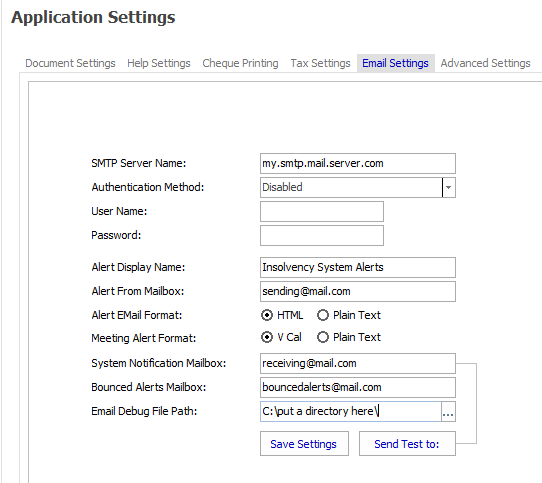
2. Use the application email settings "Send Test" feature with an email debug file specified
This will need to be done by the System Administrator.
a. Navigate to Main menu > Manage Application Settings >Email Settings
b. Enter the user's email address into the Systems Notification Mailbox field
c. Enter a Email debug path
d. Save Settings (remember the settings to change them back)
e. Click "Send Test"
View the email debug log file to see the messages from the SMTP mail server.
Comments
0 comments
Please sign in to leave a comment.