
You can only delete documents if you have the permission to do so in the job security settings.
1. In the job click on Document Management
2. Enter in keywords some part of the title of document you are looking for
3. Edit the from date if the default date is not early enough. Or delete it all together.
4. Click Search Now. A list of documents will be produced for you choose from.
5. If you want to delete the document right hand click on it and select Delete Document(s)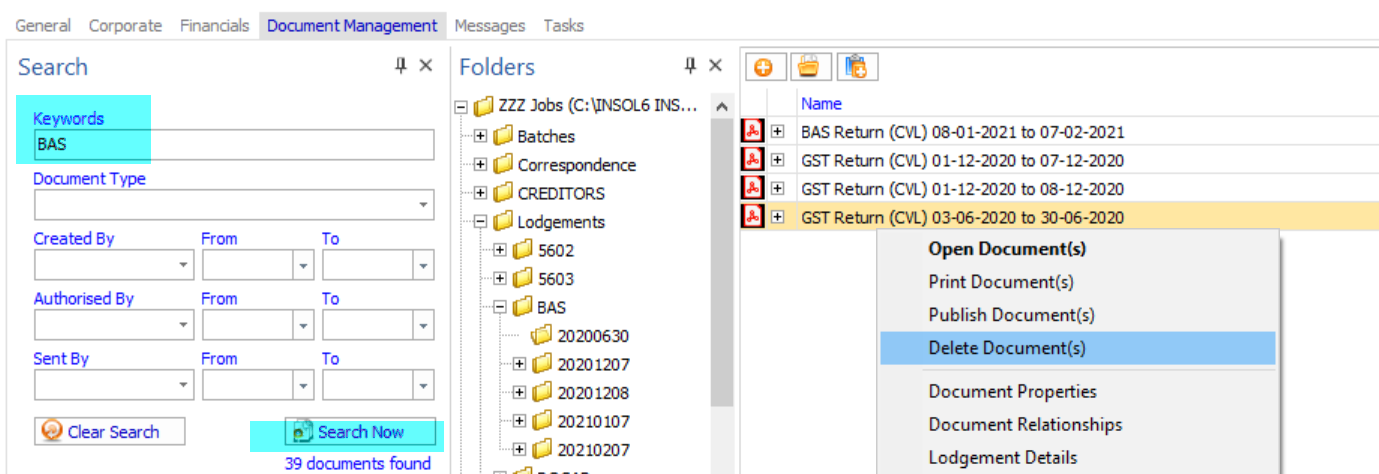
NB - If the document was prepared in a task it will be removed from the tasks document tab once deleted as per above.
Comments
0 comments
Please sign in to leave a comment.