
Fee approvals appear in:
- Corporate > Corporate Info > Fees or for Personal Appointment Estate > Estate Info > Fees

OR
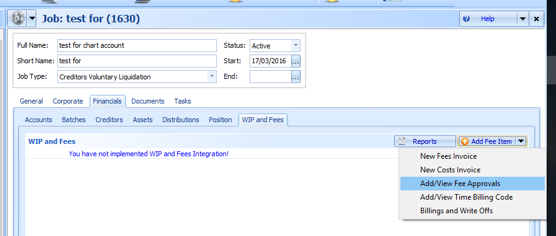
- Financials > WIP and Fees tab, and
To add a fee approval select Add or Add/ Fee Approval from the Add Fee item drop down option:
An example of the fees approval form is displayed below:

Fee approvals appear on the following practice reports:
- the WIP and Billings report
- the Fees Approved verses Fees Incurred
- the Outstanding Fees to available funds report
The Job Detail Listing also has the following data fields available:
- FeesApproved
- FeesRequested
- FeeBasis
- Fees (fees paid)
Comments
0 comments
Please sign in to leave a comment.