
You can only delete documents if you have the permission to do so in the job security settings.
To remove a BAS from a job, please follow the below steps:
Step 1: Go to job > choose Document Management tab
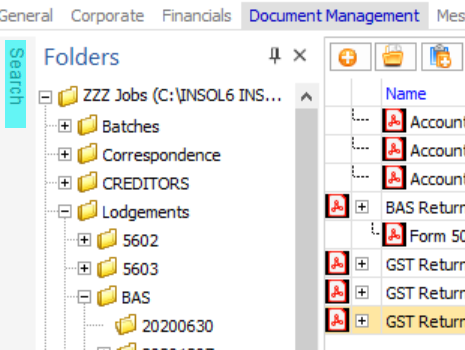
Step 2: Click the search button - see attached for a screenshot
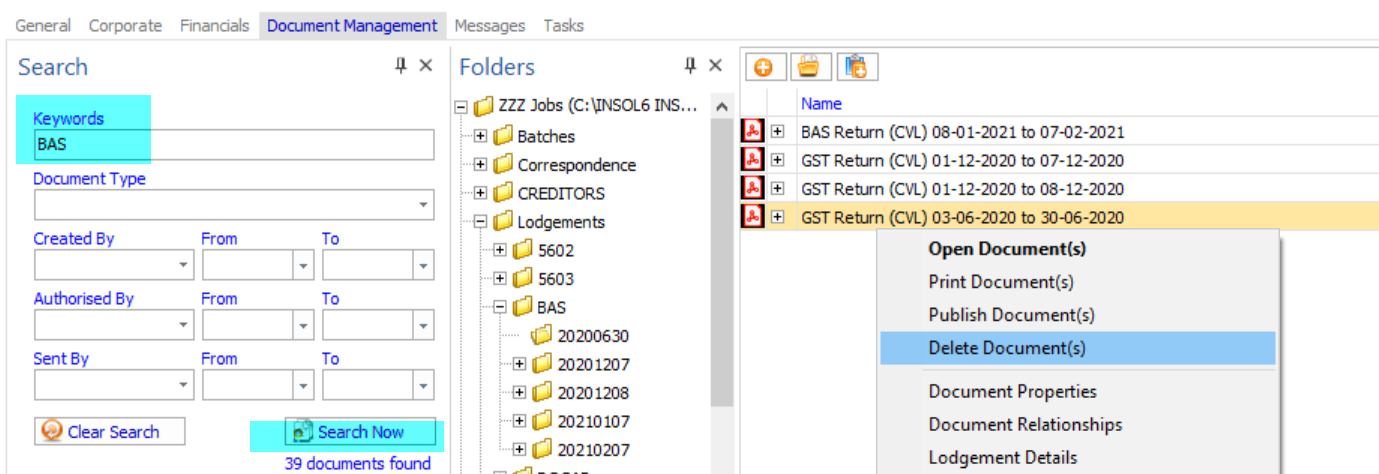
Step3: In the search menu, please put "BAS" in the keyword. The from date will auto populate to two weeks prior. You can edit this date or remove it all together.
Step4: Then, you will see all BASs on the right. Right hand click on the BAS to be deleted and select Delete Document(s)
Comments
0 comments
Please sign in to leave a comment.