
Overdraft limits may be set up for a bank account.
Set up an overdraft limit, as follows:
Select Financials tab and edit the bank account
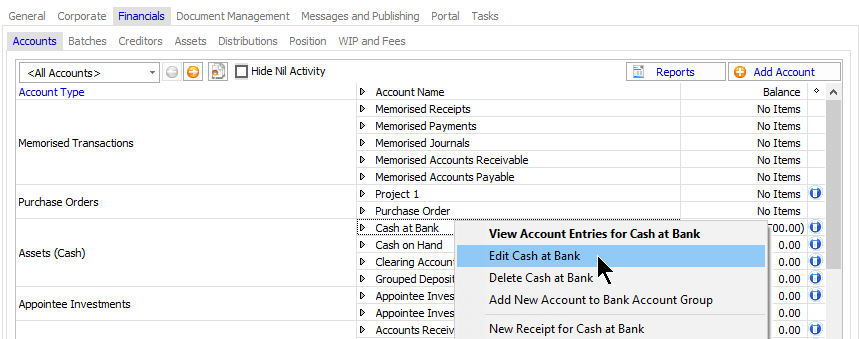
The Bank Account Edit Form appears.
Select the Bank Details Tab
Click the ellipsis at the end of the O/D Limit field.
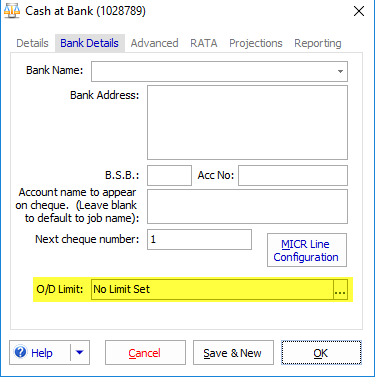
The overdraft limit form will appear.
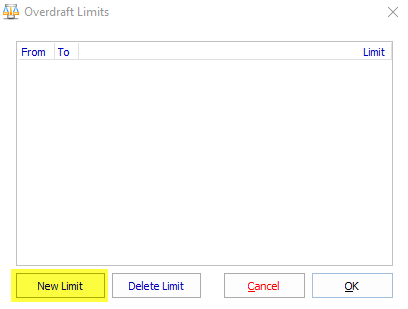
Click on new limit
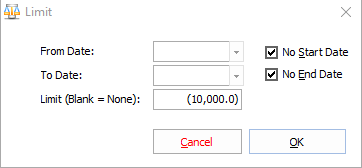
Setup a limit for a date range or for no start or end date. Any amount, positive or negative can be entered.
When making direct payments, posting batches or making payments from the accounts payable register you will receive validation warnings if the account is overdrawn.
Comments
0 comments
Please sign in to leave a comment.