
For post appointment debtors we recommend that you raise a credit note instead of writing off, because the write off will not post a reversal of the transaction to the sales or GST account and this often causes issues for users who expect the GST account to be reduced to nil by the end of the job when everything is paid.
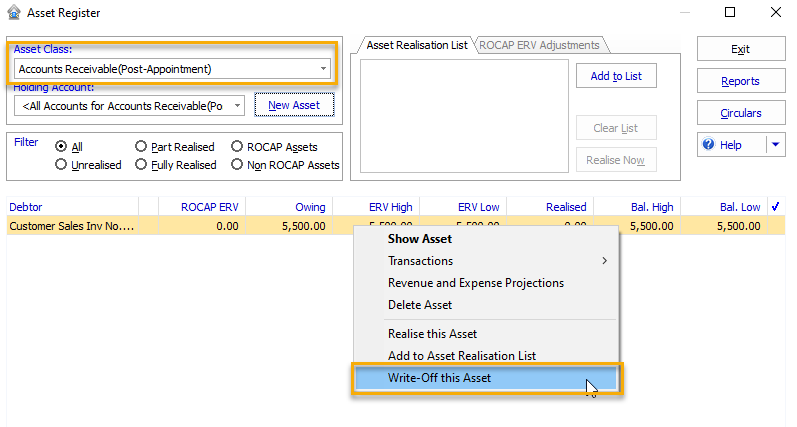
However, if you are happy for the GST to remain in the GST account even though it will never be included on a BAS because the debt has been written off you can simply write it off instead of raising a credit note. To write off the debtor, open the Pre-appointment Accounts Receivable asset register and change the Asset Class to Accounts Receivable (Post-Appointment), then you will be able to write off the debtor via right mouse click as shown below.
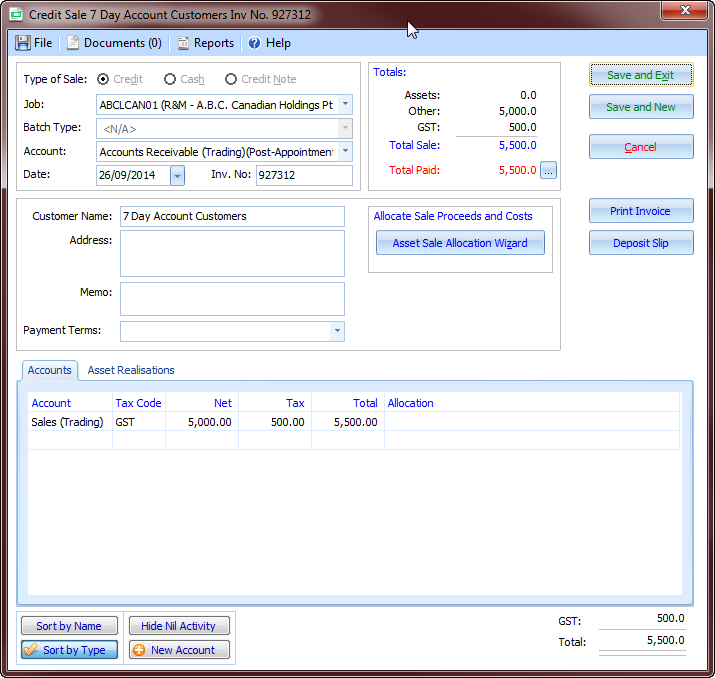
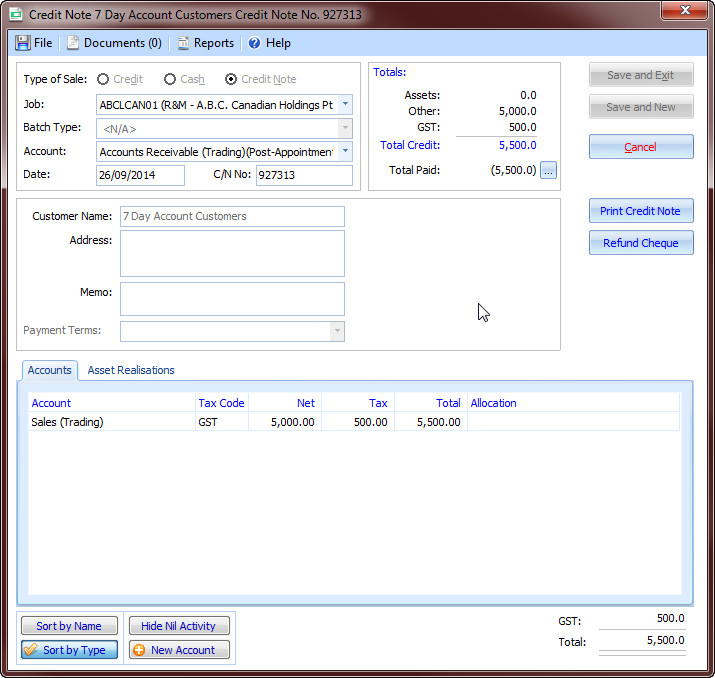
Alternatively, if you decide to raise the credit note you only need to raise it for the amount outstanding, code it to the same accounts as the original invoice and the amount owing from the debtor for the invoice should be reduced to nil.
Eg Invoice
This would be the credit note to reverse it.
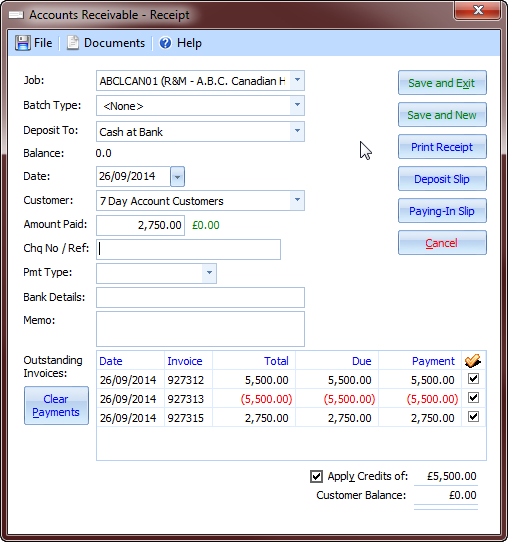
Both the invoice and the credit note will still appear as unpaid in your debtor listing, but this can be resolved the next time you receive a payment from the debtor - you will be able to apply the debtor receipt to the invoices and credits notes to clear them out of the aged debtor listing.
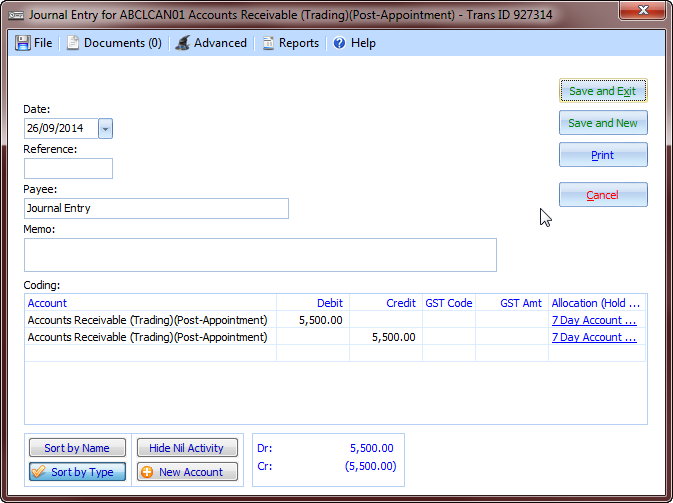
Alternatively, if no future receipts are due from the customer but you do need to remove them from the unpaid debtors listing you can enter a journal with both lines coded to the same account, but one line is allocated to the invoice and the other line is allocated to the credit note.
Comments
0 comments
Please sign in to leave a comment.