
The admitting for voting purposes is done through the meeting record.
Create a meeting. Click on Corporate -> Meeting Register ->Add. Enter meeting details.
Click on the meeting attendance tab. Double click on the attendee in the Potential Attendees List to move them to the Potential Attendees who have submitted PODs and/or Proxies OR you can move a group of potential attendees by clicking on a creditors then holding down the control key select other potential attendees. Once you have made your selection click on the blue arrow to move all the potential attendees in one go.
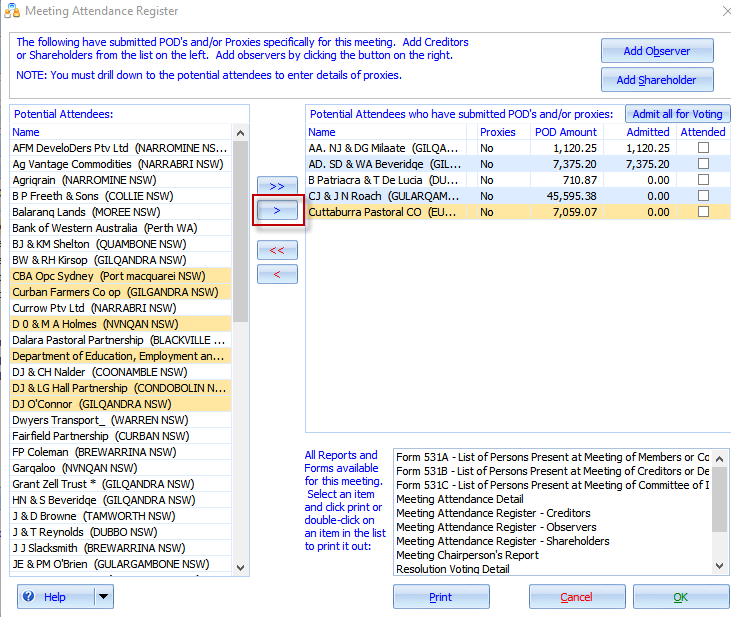
Double click on the attendee to admit them for voting purposes only as per the attached screenshot.
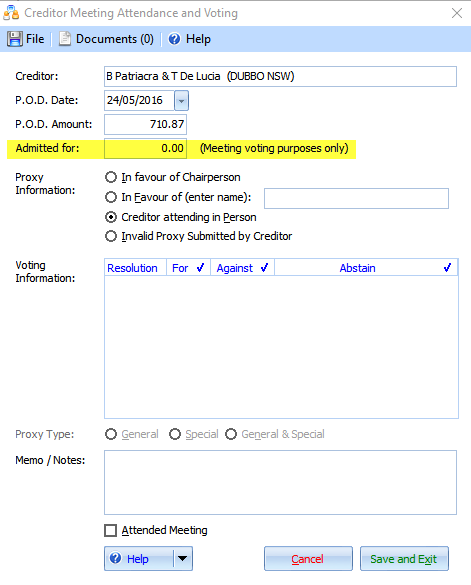
OR
You can enter POD and admitted amounts directly into the grid in the attendance form.
By using this method the figures will relate to this meeting only. If you have a second or further meeting you will need to enter new POD and Admitted amounts for that meeting.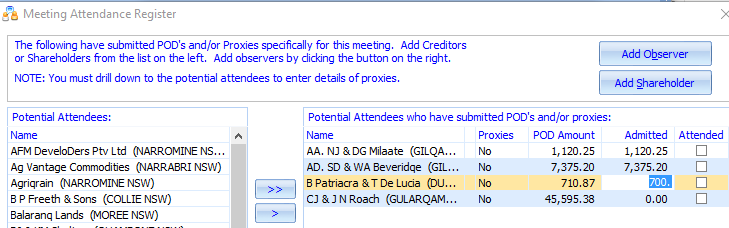
Comments
0 comments
Please sign in to leave a comment.