
There are rare occasions when the summary balance of an account may get out of sync with the underlying ledger entries.
The Balance Ledger option is used to ensure that all the account updates have been synchronised correctly and are in balance.
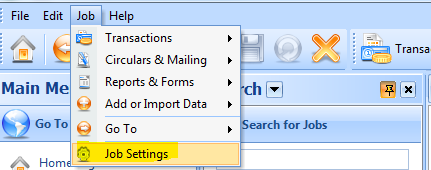
1. Select the Job menu
From the Job menu select Job Settings:
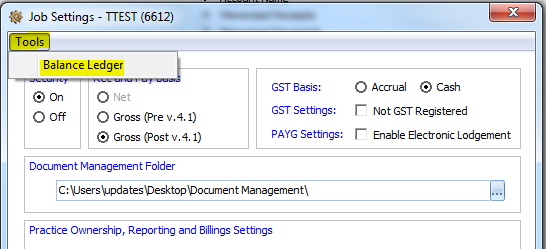
2. Balance ledger
In the Job Settings pop up, under the Tools menu select Balance Ledger
3. Run routine
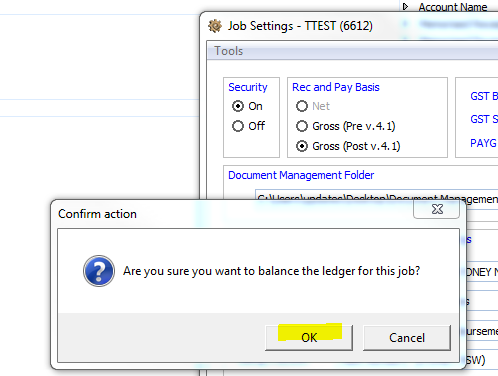
Press OK to re-balance the ledgers then exit the Job Settings pop up.
If your ledger is out of balance then it's important to try to identify how this occurred. If you calculate the amount the ledger is out of balance then that can identify which transaction caused the ledger to become out of balance.
We would like to know if there were any errors when processing a particular transaction. The audit history will identify which user entered ort changed the transaction.
Also run the "Receipts and payments problem transaction" report and see if any entries appear.
Comments
0 comments
Please sign in to leave a comment.