
Also see: https://exalt.zendesk.com/knowledge/articles/225475487
How do I add the email merge field to a document?
1. Open the document in Manage Document Templates
2. Position the cursor where you want to insert the merge field
3. Click on Insert
4. From the TEXT box click on Explore Quick Part then FIELD
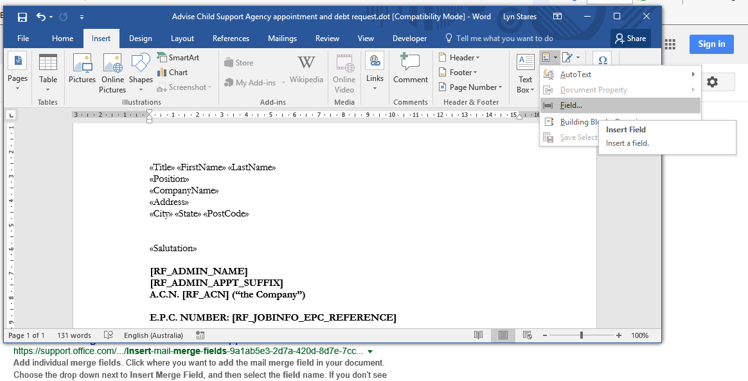
5. Choose the field MERGEFIELD.
6. Enter email in the Field name and click OK
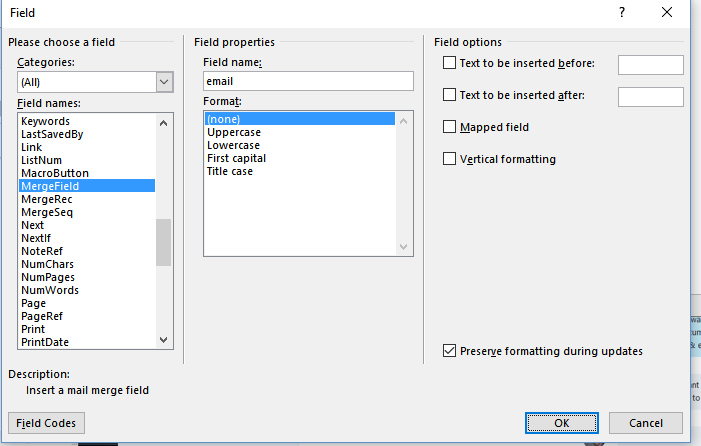
The merge field for email will now be inserted in the document template.

Comments
0 comments
Please sign in to leave a comment.