
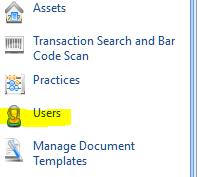
Access the User Menu (you may require administration rights if you can't see this option), select the user who you want to be able to accept appointments.
Go to the System Security Tab and by ticking the appointment roles below, a user will be able to be selected as an appointee.

It is also important that the User's practice is set to the same practice as the job to which you're trying to add as an appointee.
If the practice is not the same you may set the appointee's practice as <<All Practices>>. Remember you will need to restart your software for this to take effect.
Comments
0 comments
Please sign in to leave a comment.