
The following extract from the replace field listing report shows the director replace fields: https://exalt.zendesk.com/hc/en-us/articles/224814908-Replace-Field-Listing-Report
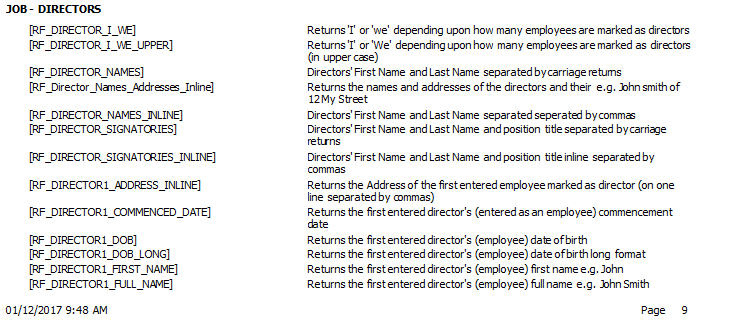

When you want to refer to directors individually, you use RF_Director_n_xxx (e.g. RF_Director_1_Name returns the first entered director's name).
You may send correspondence with merge codes to Directors by using the creditor filters in document production.
Comments
0 comments
Please sign in to leave a comment.