
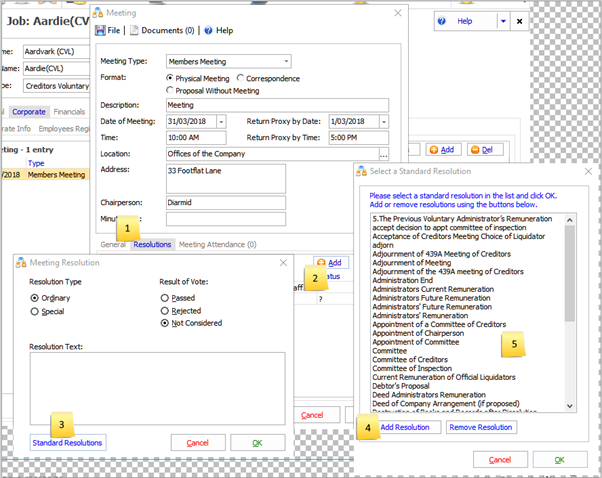
In the Job go to Corporate → Meetings Register then Add a new meeting  or choose an existing meeting.

Choose Resolutions  then Add
  to create a new resolution for this meeting.
To create a permanent resolution choose "Standard Resolutions at  then Add Resolution at.
You can edit existing standard resolutions by double clicking one at. 
Comments
0 comments
Please sign in to leave a comment.