
Adding a PDF to Document Management
To import a PDF:
1. Drag and drop a PDF onto the Manage document Templates form.
2. Click "New File" and change the File Name to "*.*" to show all files (or "*.pdf").
The same applies to Excel files.
Editing a PDF to add replace fields
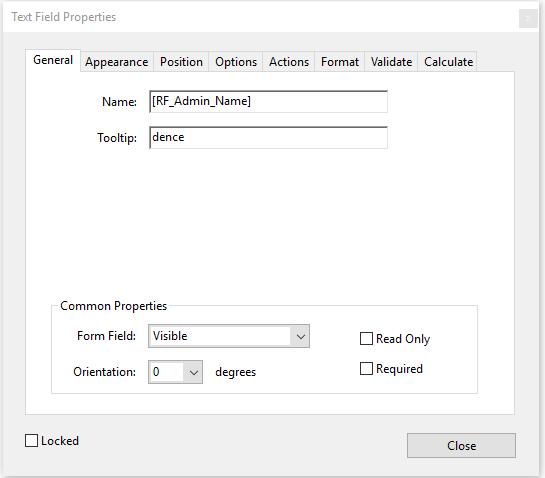
You may edit a PDF template using any PDF editor (prepare form). Edit the properties of any PDF and add data fields:
Enter the replace field in the Name field on the field Properties box.
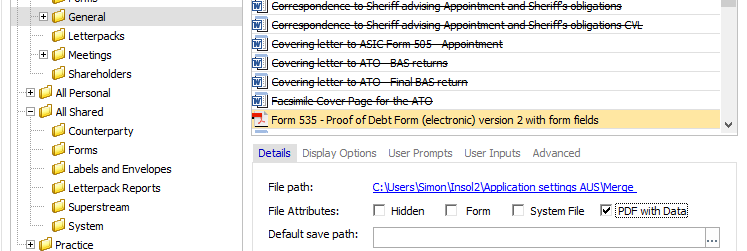
You need to tick the "PDF with data" checkbox as shown below, and, then RF codes will populate when you output the PDF document using the Document Production Wizard..
Comments
0 comments
Please sign in to leave a comment.