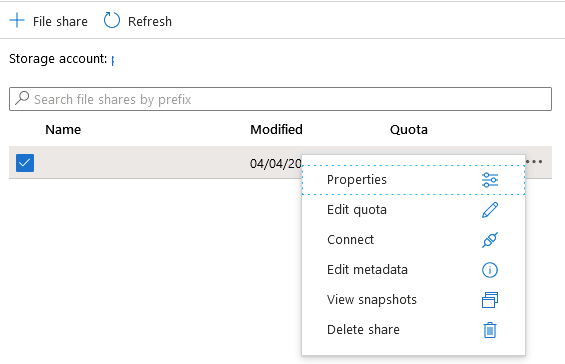
Azure File storage: Increase the size of available storage Support April 09, 2020 03:43 Updated To increase storage: Open the Azure portalhttps://portal.azure.com Navigate to File Shares Click on the ellipsis on the file share and select "Edit quota" Enter the new file store size Related articles Azure security Exporting Azure SQL (SaaS) data to a bacpac Azure database backup/restore Azure - Import a database directly into SQL Azure using SSMS How do I change Azure price tier? Comments 0 comments Please sign in to leave a comment.

Comments
0 comments
Please sign in to leave a comment.